Booking that feels like your practice — not a login screen.
We build online booking that connects a practice's website straight to the scheduler inside its own EHR — whatever system it runs. This demo is one specific build: a front end for ZhealthEHR, made for chiropractors. Below, you'll see the old way (ZhealthEHR's stock booking screen), the new way (ours, in the practice's own colors), and then you can open the live demo and tap through it like a patient.
One build, shown here. The same approach, for any practice. What you're looking at on this page is built specifically for chiropractors on ZhealthEHR. We build the same kind of booking front end against whatever your practice runs — for chiropractic, dental, optometry, PT/OT, and more — so patients book from your site, in your branding, and it lands in your real schedule.
The stock ZhealthEHR booking screen,
and the same booking on the practice's own site.
Left: a representative mockup of ZhealthEHR's out-of-the-box appointment portal — the blue page a practice's "Book Online" button usually sends patients to. Right: our scheduling front end, doing the same job inside the practice's own website, in its own colors, with no login. Placeholder practice, placeholder details on both.
The stock ZhealthEHR portal
- ✕Looks and feels like a different website than yours
- ✕Often expects a portal account and password
- ✕Generic layout, not built for touch or small screens
- ✕Patients drop off rather than push through it
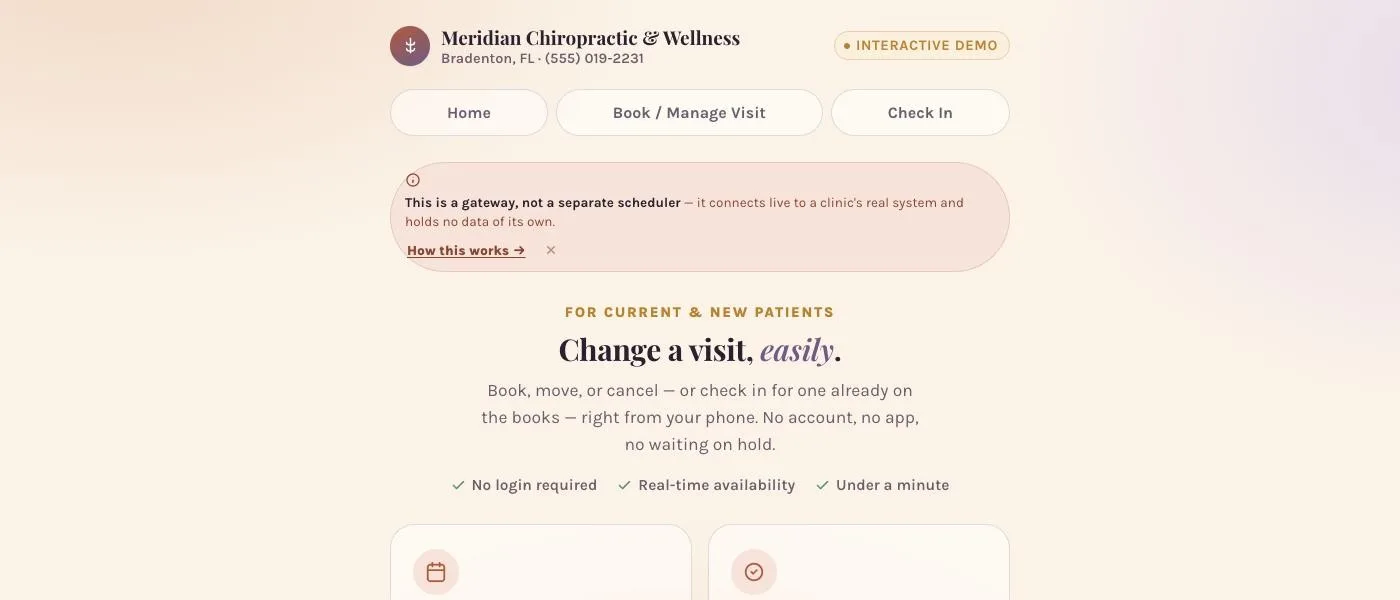
Ours, on the practice's own site
- ✓Lives inside the practice's website — same colors, fonts, logo, tone
- ✓No account, ever — just the details staff already ask for
- ✓Designed mobile-first for phones, tablets, and desktop
- ✓Patients finish the booking instead of calling the office
This is the actual product,
not a mockup of it.
The live demo opens in its own window, so you can book, move, cancel, register a new patient, and check in exactly like a patient would — without this page scrolling under you.
- Book a new visit from real-looking availability
- Move or cancel an existing appointment
- Register as a new patient — the intake and card-photo flow
- Check in on the lobby-tablet screen, pain diagram included
Your booking page,
not a third-party portal.
ZhealthEHR's own patient portal works — but it looks and feels like a separate app, asks patients to create yet another login, and rarely matches your brand. Patients bounce. This build fixes that by living on your website and talking to ZhealthEHR for you.
No account. No app. No memorized password.
- Confirms who they are with a name, phone, or birth year — the same details your front desk already asks for.
- Books, moves, or cancels a visit in the same browser tab they were already in.
- Works the same on an iPhone, an Android tablet, or a laptop — no app-store detour.
- New patients hand over insurance and ID once, from their phone, before they ever set foot in your lobby.
Real ZhealthEHR writes, not a spreadsheet to reconcile.
- Every booking, move, and cancellation lands directly in ZhealthEHR — the same screens your staff already uses.
- New-patient documents route to a private, staff-only channel — never the public website, never a shared portal.
- If the automation can't complete a request, it hands off to a human instead of failing silently.
- Check-in on a lobby tablet mirrors ZhealthEHR's own kiosk screen, in your branding.
A private channel
only your staff can see.
New patients hand over sensitive documents before their first visit — a photo ID and both sides of an insurance card. Those files never touch a public page or a patient-facing portal.
- 🔒Every new-patient submission — details, photos, and all — routes to one private channel your credentialed staff monitors, not a public inbox.
- 🔒Nothing is auto-booked. A staff member reviews it, verifies benefits with the carrier, then calls the patient back to actually schedule the visit.
- 🔒Every scheduling change — booked, moved, or cancelled — is mirrored to your team by two independent channels at once, so nothing slips through.
- 🔒If the automation ever can't complete a request, it fails safe: nothing changes in ZhealthEHR, and your staff is notified to finish it by hand.
Want this on your practice's website?
On ZhealthEHR? We build it matched to your brand and tested against your real schedule. On a different EHR? Tell us what you run — we build the same front end to it.
This page is an interactive product demo built by Atlas Cirrus. All patients, appointments, practices, and documents shown are fictional sample data — no real chart, calendar, or inbox is connected. “ZhealthEHR” refers to ZhealthEHR; Atlas Cirrus is an independent automation partner and is not affiliated with or endorsed by ZhealthEHR.